|
ManyCam
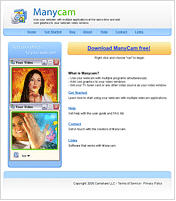 ManyCam is free webcam software that allows you to use your webcam with multiple applications at the same
time and add cool graphics to your webcam video window. Without Manycam installed you are unable to use your Webcam
in more than one application at a time. For example you cannot use Camfrog Video Chat and video chat plus use Yahoo!
ManyCam is free webcam software that allows you to use your webcam with multiple applications at the same
time and add cool graphics to your webcam video window. Without Manycam installed you are unable to use your Webcam
in more than one application at a time. For example you cannot use Camfrog Video Chat and video chat plus use Yahoo!
Messenger and video chat simultaneously because Windows XP does not allow this. Manycam solves this problem for you by
splitting one video stream into several video streams. All you need to do is to choose Manycam virtual Webcam as the
video source in your webcam applications. You can also add some features to the video stream by using ManyCam
(for example, funny animations, time and text). Right click the Manycam icon in your bottom right tray to access these features.
| Software Information |
System Requirements |
| Version: | 3.0 |
- Windows 7/Vista/XP/2003
- Intel Celeron 1GHz or Faster
- 256 RAM
|
| File Size: | 20.6 MB |
| License: | Freeware |
| Rating : |  |
What is Manycam?
- Use your webcam with multiple programs simultaneously.
- Add text to your webcam video window with any application.
- Add cool animations in your video window.
- Show your local day and date in your video window.
- Add live CGI graphics like fire and water effects, make it appear as if it is snowing inside your house.
Get Started
Installation Note: If you are running Manycam and wish to re-install it, the old one will be closed and removed
automatically during the new installation.
- First you must download Manycam. The link to download is at www.manycam.com.
- Next launch the executable file (for example manycam.exe) and follow the installation instructions.
- During the installation you'll be asked to install a new hardware.Click "continue anyway" to proceed.
- When installation is completed launch the program
Manycam Use Instructions
- Launch the Manycam application
- Choose Webcam in "Select video source" in the ManyCam tray menu.
This is done by finding the Manycam icon in your right bottom system tray area and right clicking it.
- Choose "ManyCam Virtual Webcam" as your primary Webcam in the application where you wish to use ManyCam.
Usually this can be found in the settings window of most webcam applications,
for example if you go to the "actions" menu and choose "settings" then "video" with Camfrog Video Chat.
- From now on when use this application, ManyCam will be automatically started.
If you no longer want to use Manycam you can go back to the programs video settings and change your video source.
- Right click the Manycam icon in the bottom right system tray on your screen to choose to show animations,
change your settings and use other features.
Other Information
Without Manycam installed you are unable to use your Webcam in more than one application at a time.
For example you cannot use Camfrog Video Chat and video chat plus use Yahoo! Messenger and video chat simultaneously
because Windows XP does not allow this.
Manycam solves this problem for you by splitting one video stream into several video streams.
All you need to do is to choose Manycam virtual Webcam as the video source in your webcam applications.
You can also add some features to the video stream by using ManyCam (for example, funny animations, time and text).
Right click the Manycam icon in your bottom right tray to access these features.
RELATED SOFTWARE DOWNLOADS FOR MANYCAM
- InVdoChat
The Insoftware Video Conference software for Windows 98/ME/2000/XP, allows you to easily communicate in real-time with friends and family around the world over the Internet
- iSpQ VideoChat
iSpQ VideoChat webcam chat software connects you with people from around the world in a live chat community
- NetChat
award-winning peer-to-peer local network instant messaging and communications system for Windows
- Outlook LAN Messenger
award winning LAN Instant Messaging software designed for use within Office Network and Subnet
- EasyChat
It is a multi-user network messaging chat program.
- NetTalk
It is a simple and easy to use Video chat program, It enables you to see, hear and chat one on one via Lan/Internet.
- AV Webcam Morpher Gold
is the newest free webcam software on the Net, it is a Innovative webcam software for live video chat!
- Vibrant Communicator ActiveX
is a set of ActiveX controls designed for developers of audio streaming projects
- FlashPioneer Video Chat
is a non-client,audio& video chat solution based on FMS. It helps you deploy an online community.
- Magic Camera
is a fantastic webcam software that enables you to Add Webcam Effects to Video Chat.
|
|





 BestShareware.net. All rights reserved.