|
Super Screen Recorder
You can record video screen activity in real time!
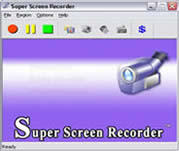 Super Screen Recorder is a easy to use and powerfull video screen capture software for recording
video screen activities into standard avi video files. The program size is very small. You can record the full
screen, fixed region, window screen, or any part of the screen video. You can even record audio into the
AVI files, from the microphone, line-in, or speakers. You can Choose video and audio codec and quality.
You can show, hide and use custom cursor and record voice from Options setting.
Super Screen Recorder is a easy to use and powerfull video screen capture software for recording
video screen activities into standard avi video files. The program size is very small. You can record the full
screen, fixed region, window screen, or any part of the screen video. You can even record audio into the
AVI files, from the microphone, line-in, or speakers. You can Choose video and audio codec and quality.
You can show, hide and use custom cursor and record voice from Options setting.
The screen recorder software is powerful for anyone who develops software and wants to show how it works,
or if you want to produce some tutorial content.
| Software Information |
System Requirements |
| Version: | 2.5 |
- Windows 8/7/XP/Vista
- Pentium 3/4 or AMD Athlon - 400 Mhz or more
- 512 MB RAM
- True Color Video Card - 1024x768, 32Bit
|
| File Size: | 2.8 MB |
| License: | Free to try, $39.95 to buy |
| Screenshot: | View Screenshot |
| Rating : |  |
Main Features of Super Screen Recorder:
- Record screen activities into compressed AVI files
You can capture video for full screen, active window and any part of screen.
- Multiple video compression choices
You can choose different codecs (compressors) to record your video. You can choose any codec available in your computer. Change compression options such as quality, key frame rate etc.
- Record sound from microphone, speakers, line-in, etc
Record audio from your microphone, speakers, CD Audio, MIDI etc. depending on your sound card into your movie or add sound into video from a sound file.
- Custom mouse cursor selection
You can set the shape, size and color of the highlight area.
- Define hotkeys for 'Record', 'Stop' and 'Pause'
You can define hot keys.
- Unique Auto-Pan function
the capture area will follow the cursor to wherever it goes during recording. This has the effect of making the screen capture to occur at the region with the most action.
- Easy-to-Use and Intuitive Interface.
You can arrange, resize and custom any intuitive interface.
- Capture in any screen color depth.
RELATED SOFTWARE DOWNLOADS FOR SUPER SCREEN RECORDER
- Hero Screen Recorder
screen capture and video capture software that can record full or any area of computer screen
- 1st Screen Recorder & Video Capture
is a tool used for recording Screen Activity and Sound into standard AVI Video files.
- Fox Screen Capture
screenshot capturing tool from foxshareware development team
- Hero Screen Recorder
screen capture and video capture software that can record full or any area of computer screen
- !Quick Screen Capture
Quick Screen Capture is such a powerful screen capture and image editing utility
- Easy Screen Capture
It is a screen capture software for capturing any part of your screen.
- Any Screen Capture
allows you to print screen pictures at will and select grab area in rectangle, ellipse, window, control, menu and custom shapes etc.
- Super Screen Capture
is an all-in-one software for free screen recorder software
- ACA Screen Recorder
captures the action from your Windows screen and saves it as a standard, easily edited, AVI (Audio-Video Interleaved) movie file.
- Screen Recorder Gold
is a easy-to-use, fast, and powerful screen video recording software
- liteCam
is a screen recorder which allows you to capture videos from your screen into a compact AVI file.
|
|





 BestShareware.net. All rights reserved.