|
Pictures to Exe Deluxe
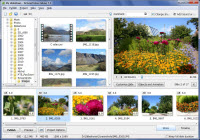 Pictures To Exe has simple and intuitive interface, so creating of a presentation is very easy.
All you have to do is choose some pictures (in JPG, GIF or BMP format). PicturesToExe will produce single EXE file,
which contains all images inside. No additional programs (including PicturesToExe itself) are needed to run resulting
presentation - only that stand-alone EXE file.
Pictures To Exe has simple and intuitive interface, so creating of a presentation is very easy.
All you have to do is choose some pictures (in JPG, GIF or BMP format). PicturesToExe will produce single EXE file,
which contains all images inside. No additional programs (including PicturesToExe itself) are needed to run resulting
presentation - only that stand-alone EXE file.
And it will work under Windows 95, 98, Me, NT, 2000 and XP. If your demands are a bit higher, PicturesToExe allows you to
make much more attractive presentations, than simply changing slides.
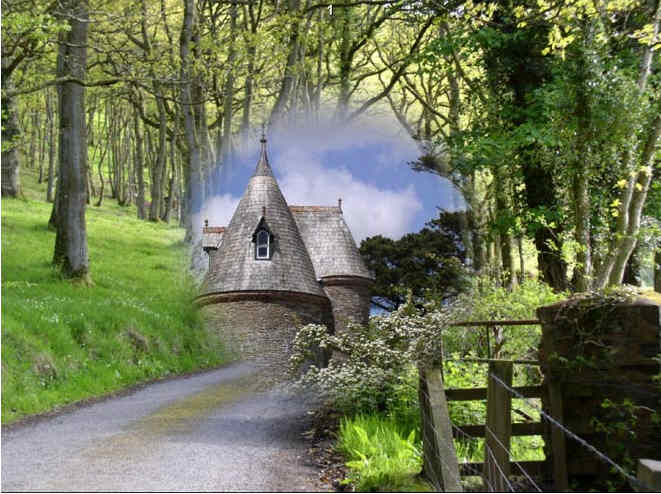
You can customize each slide by specifying background color or picture, adding comments, sounds, objects.
Moreover, it's possible to use different cinematographic transition effects between slides, add background music
(in MP3, WAV or MIDI format). And ability to exactly synchronize show of slides to music, placing points on the time-line.
If it is necessary, you are able to protect your presentation by password and assign expiration date.
Presentations can be automatic (by timer) or controlled manually, run once or continuously.
If you prefer, you can create SCR files (instead of EXE), and use your presentations as a standard Windows screen savers.
Ability to prepare DVD-Video disc. The program has multi-language interface (19 languages are supported now).
| Software Information |
System Requirements |
| Version: | 7.5 |
- Windows 8/7/Vista/XP/2000
- Pentium II CPU
- 64 MB RAM
|
| File Size: | 12.0 MB |
| License: | Free to try, $39.00 to buy |
| Screenshot: | View Screenshot |
| Rating : |  |
Key Features of Pictures To Exe:
- Create presentation (in stand-alone EXE file)
- Optimization for re-iterative files
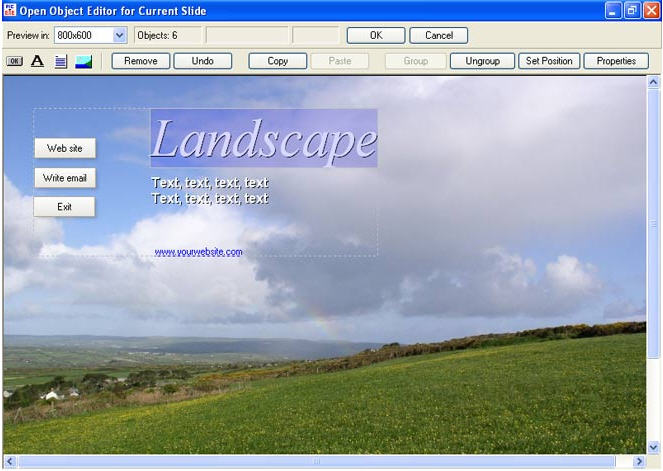
- Object system (each slide can contain buttons, hyperlinks, labels, sub-pictures)
- Ability to produce AVI video file.
- Supports for multiple pictures
- Supports for slide show
- Supports for sound comments (.wav, .mp3, .wma, .ogg)
- Supports for background music (.mp3, .wav, .mid, .wma, .ogg)
- Supports for background image (.bmp, .jpg)
- Possibility to add description for each picture
- Transition effects
- Quick preview of slide
- Easy-to-use visual editor of objects
- Can create Screen Savers
- Can save/open projects
- Exact synchronization of slides and background music (with customizable time-line)
- Preview button
- Making simple presentations with point-and-click interface
- Easy solution for creating greeting cards
- Customizable settings
- Easy-to-use picture explorer
- Support for English, Russian, Netherlands, Italian, Slovenian, Hungarian, German, Catalan, Spanish, Swedish, French, Romanian, Chinese, Brazilian Portuguese, Danish, Czech, Polish, Ukrainian, Slovak languages
- Works under Windows 95/98, Windows Me, Windows NT/2000, Windows XP
- Tested and optimized for Windows 2000
- Optimized for Windows 98/Me
- Year2K-compatible
| More Screenshots - Click each image to enlarge! |
 |
 |
|





 BestShareware.net. All rights reserved.