|
Image Eye
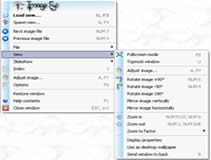 Image Eye is a quite specialized image viewer - specialized i.e. for the sole purpose of viewing images as quickly and as practically as possible - and nothing else!
You don't get any menus, tool bars or other fancy - but sometimes very anoying -
things cluttering up the window where you want to see a picture an nothing else! In fact, if you
want you can even have the window title bar dissapear when you don't need it,
leaving just the image itself! And there are many handy and practical user interface 'tricks';
e.g. hitting Ctrl-Alt-X to close all image windows - just to mention one!
Image Eye is a quite specialized image viewer - specialized i.e. for the sole purpose of viewing images as quickly and as practically as possible - and nothing else!
You don't get any menus, tool bars or other fancy - but sometimes very anoying -
things cluttering up the window where you want to see a picture an nothing else! In fact, if you
want you can even have the window title bar dissapear when you don't need it,
leaving just the image itself! And there are many handy and practical user interface 'tricks';
e.g. hitting Ctrl-Alt-X to close all image windows - just to mention one!
| Software Information |
System Requirements |
| Version: | 8.0 |
- Windows 7 / Vista / XP
- Pentium II CPU
- 64 MB RAM
- Mouse or equivalent pointing device
|
| File Size: | 628 KB |
| License: | Freeware |
| Screenshot: | View Screenshot |
| Rating : |  |
General features:
- Reads many file formats: BBM, BMP, CAL, CALS, CUR, DDS, DIB, FIF, FIT, FITS, GIF, ICO, IFF, JFIF, JPG, JPEG, LBM, MAC, NEO, PBM, PCX, PGM, PIC, PNG, PPM, PSD, RAS, RAW, RLE, SUN, TGA, TIF, TIFF.
- You can select exactly what file formats to be associated with the program.
- Both types of 'prgressive JPEG' files are supported.
- Animated GIFs are supported.
- Multi-page TIFFs are supported.
- 'Raw' image file can also be read.
- High quality color palette optimization when displaying 256, 16, 4 or 2 color video modes.
- Floyd-Steinberg dithering supported for much improved visual quality when viewing 24-bit images in only 256 color or lower video modes and in 15 and 16-bit video modes.
- High-quality 4x4 pixel resampling filter used when resizing images.
- MMX instruction set support for improved speed.
- Small executable size.
- Available in several languages & can easily be translated into more!
Open image file dialog features:
- Image resolution and file format information displayed for the selected file.
- Optional image preview window for selected file.
- The last viewed image is automatically selected and the file list is scrolled so that it is visible (this can be turned off!)
- The most recent directories from which an image has been opened are remebered in a list and you can go back again to them very quickly (this can be turned off!).
- Open an index view of all images in the directory by pressing a single button.
Image viewer features:
- Launch the program and open images in multiple ways - choose the one the suits you best! You can launch it from the start menu, by clicking on a file in the Windows Explorer, or from an already open Image Eye window.
- Browse images in a directory using the index mode, or using the 'open image file' dialog, or from a viewer window using previous/next image commands, or by pressing down the mouse wheel (if you have one) and rotating it.
- Integrates with our Any Image software for easy file format conversions.
- The image adjustment dialog lets you adjust brightness, contrast, sharpness (using a true 'unsharp masking' algorithm), hue, saturation, gamma, luminance, red, green, blue, negative, rotation and mirroring controls!16:55 2005-05-17
- Image adjustments can be saved and automatically re-applied the next time you open the image file - all without modifying the original image file!
- File operations: Copy, rename, move, delete, erase. The erase command will wipe the file several times with random data before setting the file size to 0 then deleting it (bypassing the recycle bin) - use for sensitive data.
- Clipboard copy and paste supported.
- Capture screen shots or 'window' shots.
- Save images to BMP format.
- View images in windowed or in full-screen mode.
- Freeze mode sticks an image to the desktop so that it can't be moved until unfroozen - and it is automatically opene again if you restart your computer.
- Zoom in and out using high quality filtering.
- Set images as the Windows wallpaper.
Index features:
- Fast thumbnail index creation.
- The 'recurse sub-directories' command lets you optionally create an index displaying all files of all sub-directories.
- Optionally save thumbnail icons in a cache file on disk for even faster retrieval next time.
- Generate the cache automatically, manually, or not at all.
- Lossless compression of cache files.
- Selectable background and button colors.
- Selectable thumbnail icon size and spacing.
- Select just what you wish to view: Directories? Non-image files? Names, resolutions, file sizes, dates, extensions?
- Sort the index icons in several ways.
Slideshow features:
- A slide show scripting language allows you to roll your own slide-shows and presentations.
- The 'Create slideshow script' dialog automatically creates slideshows for viewing of all the files in a directory using various options - in case you don't want to edit a script manually!
|





 BestShareware.net. All rights reserved.